Azertio is an extensible, plugin-based testing platform that lets you write expressive tests in plain DSL — then run them anywhere, against anything.
A lightweight runtime with a powerful extension model. Bring your own plugins, connect any backend, run anywhere.
Every capability — REST, database, Gherkin parsing — is a first-class plugin resolved from Maven at runtime. No classpath wrestling.
Tests are plain feature files written in a domain-specific language. Non-technical stakeholders can read and review them directly.
Connect to MySQL, PostgreSQL, SQLite, H2, DuckDB or any JDBC driver — just add it as a runtime dependency in azertio.yaml.
First-class steps for HTTP requests, response assertion, JSON path extraction, and header validation. No glue code required.
Any step can be turned into a load benchmark with configurable concurrency and iteration count. Statistics are attached to the execution report.
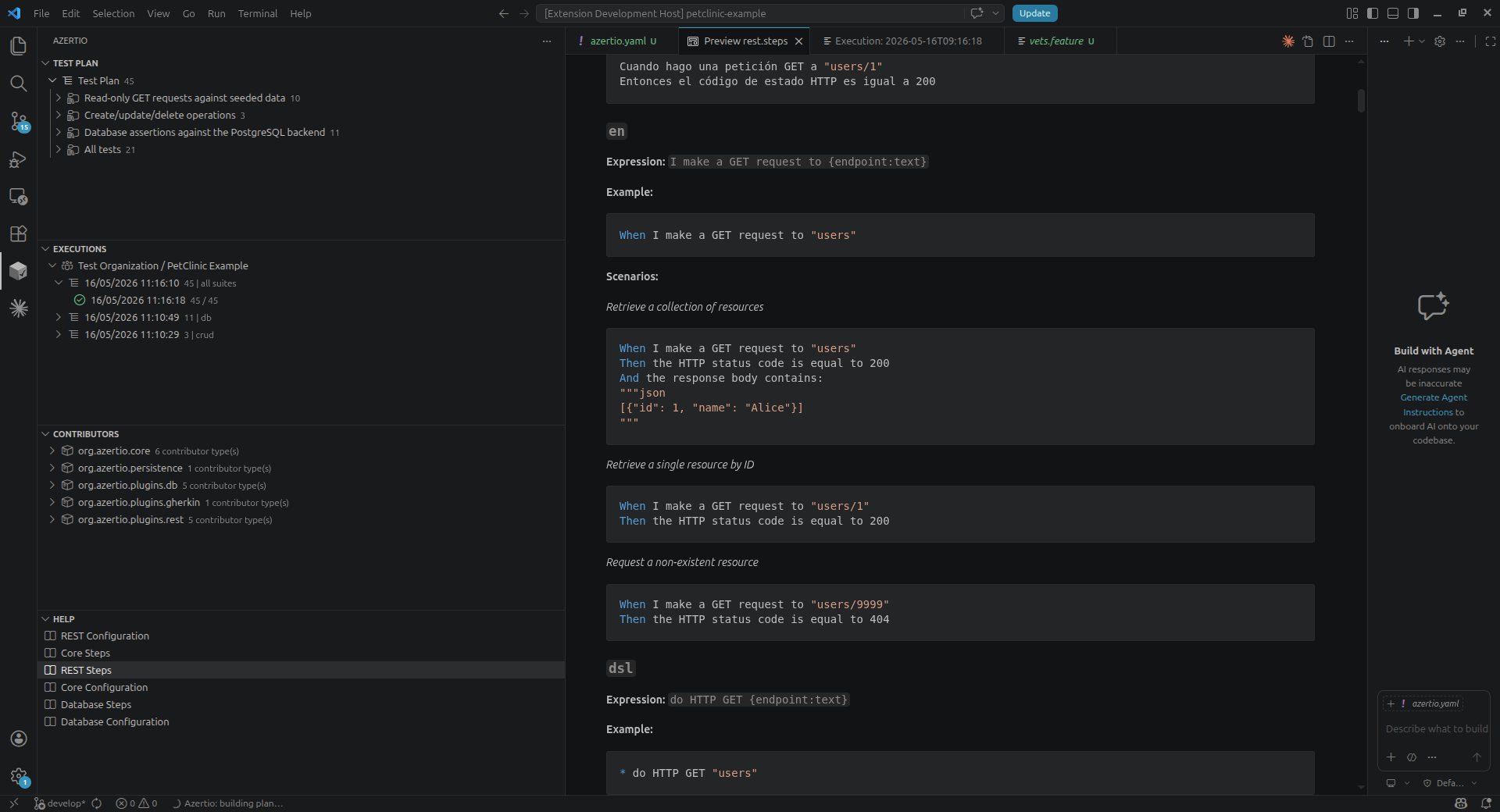
Browse plans, inspect execution trees, view attachments and re-run past executions — all from the editor, via a JSON-RPC language server.
# language: en Feature: JSONPlaceholder Posts API @ID-1 @GET Scenario: List all posts When I make a GET request to "posts" Then the HTTP status code is equal to 200 And the response body contains: """json [{"userId": 1, "id": 1}] """ @ID-10 @POST @GET Scenario: Create a post and get it after When I make a POST request to "posts" with body: """json { "title": "My new post", "body": "Content of my new post.", "userId": 1 } """ Then the HTTP status code is equal to 201 And I store the value of field 'id' from the response body into variable id When I make a GET request to 'posts/${id}' Then the HTTP status code is 200 @ID-11 @GET Scenario: Measure response time Given benchmark mode is enabled with 200 executions and 10 threads When I make a GET request to "posts/1" Then the benchmark P95 response time (ms) is greater than 2
Write scenarios in plain language. Azertio matches each line to a step implementation at runtime — zero boilerplate, zero glue code.
Run any subset of tests with boolean tag expressions: GET and not slow
Set up context once per feature with Background — no test setup duplication.
Store values from one step and inject them into the next using ${'{'}name{'}'} interpolation.
Steps can be written in English, Spanish, or a compact DSL alias — all from the same plugin.
Declare in azertio.yaml → resolved from Maven at runtime
Loads .feature files and assembles a structured test plan. Supports Gherkin syntax and the compact DSL dialect.
Steps for HTTP requests (GET, POST, PUT, DELETE), response assertions, JSON path extraction and header checks. Zero boilerplate.
Execute SQL queries, assert row counts and table contents against any JDBC datasource. Bring your own driver as a runtime dependency.
Implement StepProvider and publish to Maven. Azertio resolves and loads it at startup — no forks, no rebuilds.
The Azertio extension connects to a local JSON-RPC server and gives you a full testing workflow inside VS Code — no terminal juggling required.
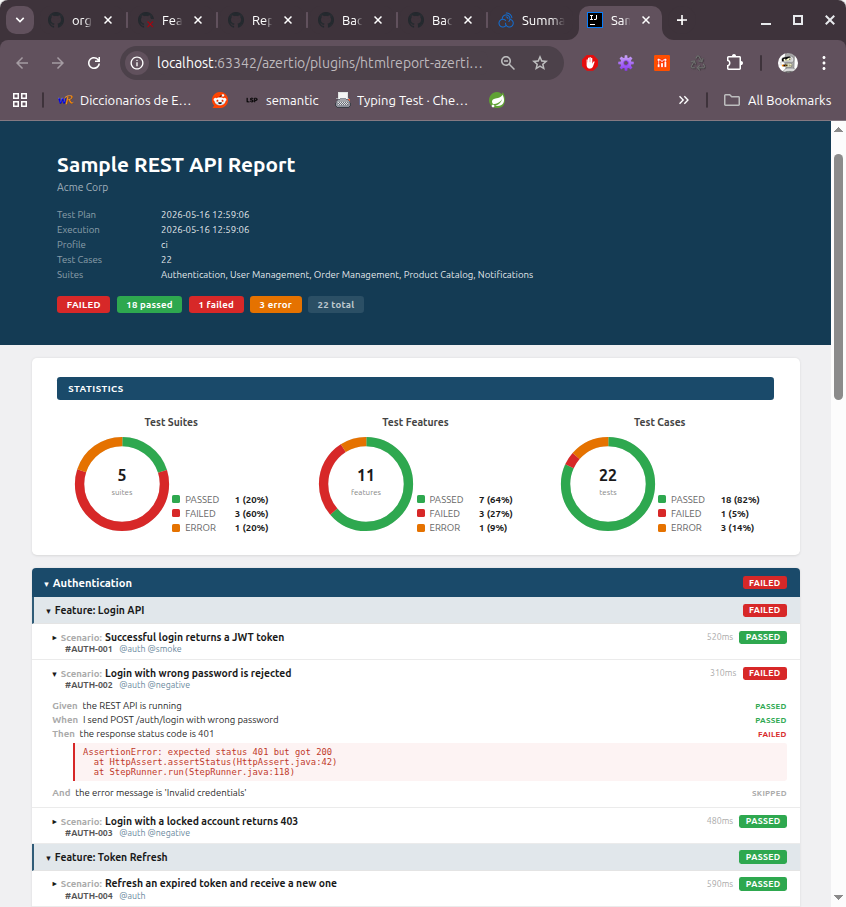
Browse every past run with its date, duration and overall result. Each execution is stored locally and always available to review.
Drill down from test plan → suite → scenario → step. Each node shows its individual pass/fail status and execution time.
Steps that produce data — CSV query results, JSON responses — are saved as attachments and opened directly from the result tree.
Re-execute any past run against its original test plan and profile with a single button — no need to reconfigure anything.